Autodesk FlexSim: What It Is, How to Download It, and How to Get It in LATAM
In 2023, Autodesk acquired FlexSim — one of the most powerful 3D simulation tools for manufacturing and logistics. Here is what that means, how to get a free trial, and how to access it with full Spanish support in Latin America.
If you searched for "Autodesk FlexSim," you already know the basics: FlexSim is now part of Autodesk. But what does that actually mean for manufacturers and logistics teams in Latin America? And how do you get it?
This article answers both questions — from someone who has been working with FlexSim in LATAM for over 20 years.
What is Autodesk FlexSim?
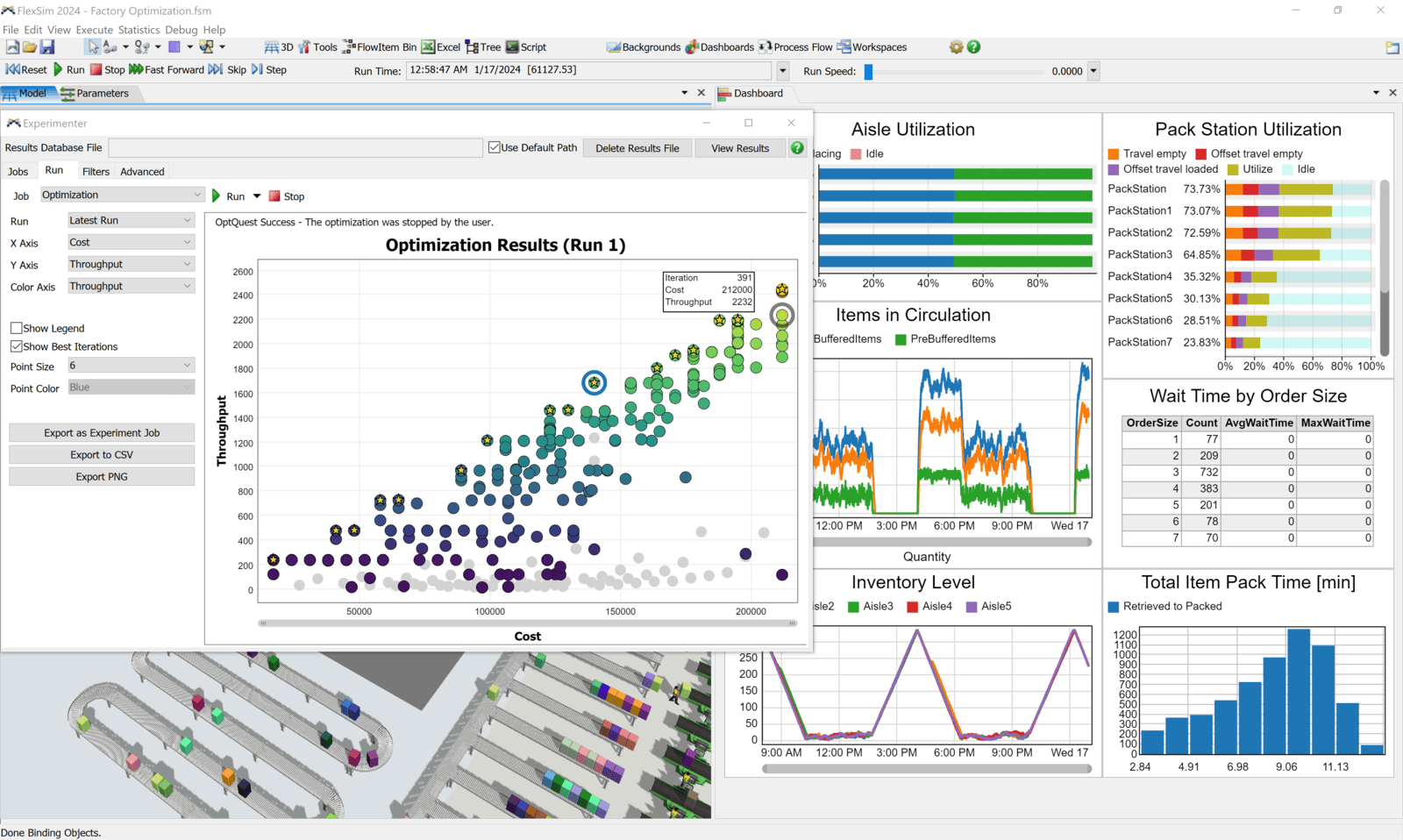
FlexSim is a 3D discrete event simulation software used to model, analyze, and optimize physical operations — manufacturing lines, distribution centers, warehouses, and supply chain flows. Autodesk acquired FlexSim in 2023, making it part of the same ecosystem as AutoCAD, Revit, and Inventor.
Before the acquisition, FlexSim was already the leading simulation platform for industrial operations in LATAM. The Autodesk integration added two things that matter for engineers already in the Autodesk world:
- Autodesk Interop module — import geometry directly from AutoCAD (.DWG), Revit (.RVT), and Inventor (.IPT) files into your FlexSim model without conversion. Plant layouts go straight from AutoCAD to simulation.
- Factory Design Utilities (FDU) integration — import factory designs from Inventor FDU directly into FlexSim, keeping the digital thread intact from design to simulation.
Is Autodesk FlexSim free?
FlexSim is not free for commercial use, but there are two no-cost options:
- Student version — free, limited to 50 3D objects and 125 process flow activities. Available at account.flexsim.com. Good for learning and university projects.
- Free trial — Autodesk offers a free trial of FlexSim for evaluation. You can request it through autodesk.com/products/flexsim or through an authorized reseller like Factible in LATAM.
For commercial use — projects, consulting, or enterprise deployments — you need a paid license. See the section below on pricing.
How to download Autodesk FlexSim
There are two ways to download FlexSim:
- Direct from FlexSim/Autodesk: Create an account at account.flexsim.com, select the Student version or request a trial license, download the installer (.exe), and activate with your credentials. The installer is approximately 1.2 GB.
- Through an authorized reseller in LATAM: If you need a commercial or educational license with local support in Spanish, contact Factible. We handle the license setup and provide onboarding support.
System requirements for FlexSim 2026: Windows 10 or 11 (64-bit), minimum 4 GB RAM (8 GB recommended), DirectX 11 graphics card, ~2 GB available disk space. No Mac or Linux version available.
How much does Autodesk FlexSim cost?
FlexSim uses a subscription-based licensing model. Pricing varies by license type, number of users, and region:
- Enterprise license — full commercial use, all features, no restrictions on model size. Pricing on request.
- Educational license — for universities and academic institutions. Unlimited features for teaching and research. Special pricing available.
- Student license — free, with object and activity limits.
For specific pricing in Colombia, Mexico, Peru, Ecuador, Chile, or Argentina, contact Factible directly. As an authorized FlexSim reseller in LATAM, we can provide current pricing and help evaluate the right license for your use case.
FlexSim + Autodesk: what changes for your workflow
If you already use AutoCAD or Revit for plant design, the FlexSim integration means you no longer need to rebuild your facility layout inside the simulation tool. The typical workflow before 2023 looked like this:
- Design the plant in AutoCAD
- Export to a neutral format (DXF, DWG)
- Manually recreate the layout in FlexSim
- Run simulation
With Autodesk Interop in FlexSim 2026, step 3 is eliminated. You import the AutoCAD geometry directly, FlexSim reads the metadata, and can auto-build 3D objects from the DWG entities. For large facilities with complex layouts, this saves days of modeling time.
Who uses Autodesk FlexSim in LATAM?
FlexSim is used primarily by:
- Manufacturing companies — automotive, food & beverage, pharmaceutical, consumer goods — for production line design, balancing, and investment validation
- Logistics and distribution companies — for warehouse design, picking system sizing, and crossdocking analysis
- Engineering consultants — who build simulation models for clients across industries
- Universities — industrial engineering programs using FlexSim for simulation courses
Frequently asked questions
Is there a free trial of Autodesk FlexSim?
Yes. Autodesk offers a free trial for FlexSim. You can request it through autodesk.com or through an authorized reseller. The trial gives you access to all features for a limited period so you can evaluate whether it fits your use case before purchasing a license.
Is Autodesk FlexSim the same as the old FlexSim?
Yes — it is the same software, now developed under Autodesk ownership. The core product, interface, and features are the same. What changed is the integration roadmap with other Autodesk products (AutoCAD, Revit, Inventor) and the distribution model through Autodesk's global network.
Can I use FlexSim on Mac?
No. FlexSim is only available for Windows 10 and 11 (64-bit). There is no Mac or Linux native version.
How do I get FlexSim support in Spanish for Latin America?
Factible provides full FlexSim support in Spanish across LATAM — including license acquisition, onboarding, training, and simulation project delivery. We have worked with FlexSim for over 20 years in manufacturing and logistics operations across Colombia, Mexico, Peru, Ecuador, Chile, and Argentina.
Need FlexSim in LATAM with full Spanish support?
We handle everything from license setup to model delivery. Talk to our team →